Setting up a VPN connection using Google Android
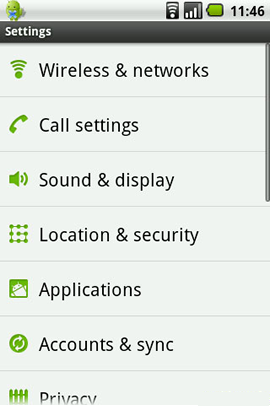
Under 'Settings' select 'Wireless & Network'.
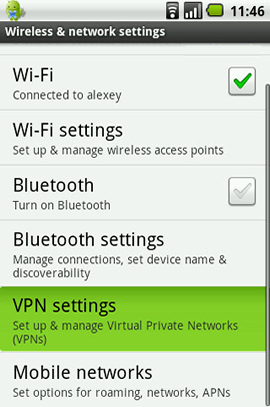
Then select 'VPN Settings'.
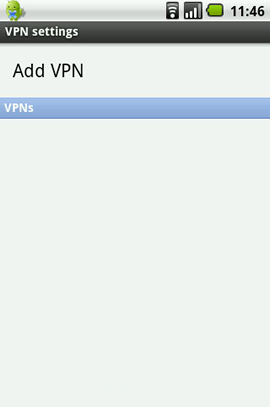
Select 'Add VPN'.
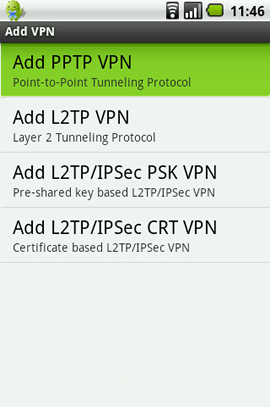
Select 'Add PPTP VPN'.
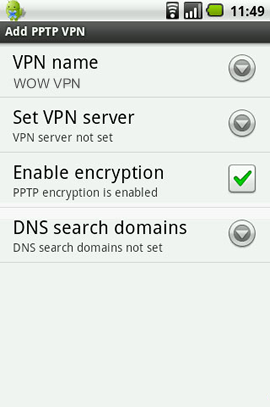
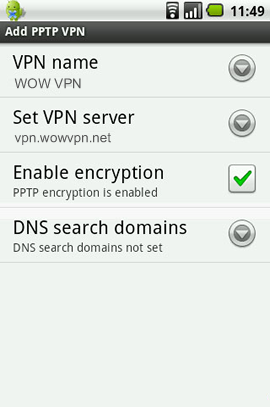
Now fill in the fields with the below details:
VPN Name: WOW VPN
Set VPN server: vpn.wowvpn.com
Enable encryption is 'enabled' (by default)
DNS search domains: Keep blank
'Menu' button and 'Save'.
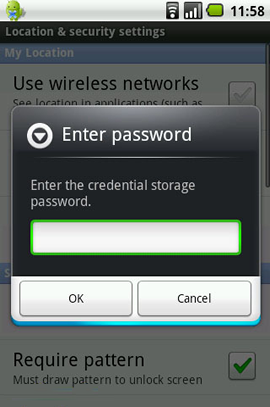
Next confirm add with storage password. This is your Android device password not your WOW VPN password.
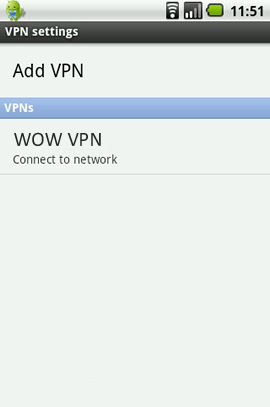
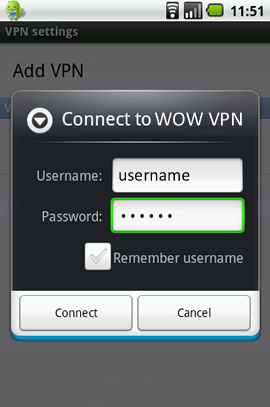
Now you have configured your VPN. Click on WOW VPN to connect.
Now add your WOW VPN username & password.
Once you make a successful connection, you will see a key icon in your notification area indicating you are connected to WOW VPN.
Now that you know you can make the connection, you can disconnect by pulling down your notification drawer, tapping the VPN connection, and then tapping the VPN connection name to disconnect.
Need Help Setting Up WOW VPN?
Our support team is ready to help you configure your VPN connection quickly and securely.
Contact Support
[ back to top ]